> ## Documentation Index
> Fetch the complete documentation index at: https://docs.dodopayments.com/llms.txt
> Use this file to discover all available pages before exploring further.
# ParityDeals
> Show location-based discount banners on your website and auto-generate matching discount codes in Dodo Payments with ParityDeals.
## Introduction
[ParityDeals](https://www.paritydeals.com/) shows location-based discount banners to eligible visitors on your website and generates the matching discount codes in Dodo Payments. A visitor who sees the banner gets a code to use at checkout. The codes appear in your Dodo Payments dashboard under **Sales → Discounts**.
Dodo Payments has native [Purchasing Power Parity](/features/purchasing-power-parity), which lowers prices by country at checkout with no banner and no script. ParityDeals is for merchants who want a visible discount banner on their own site, or who want to run holiday and time-based deals.
## How It Works
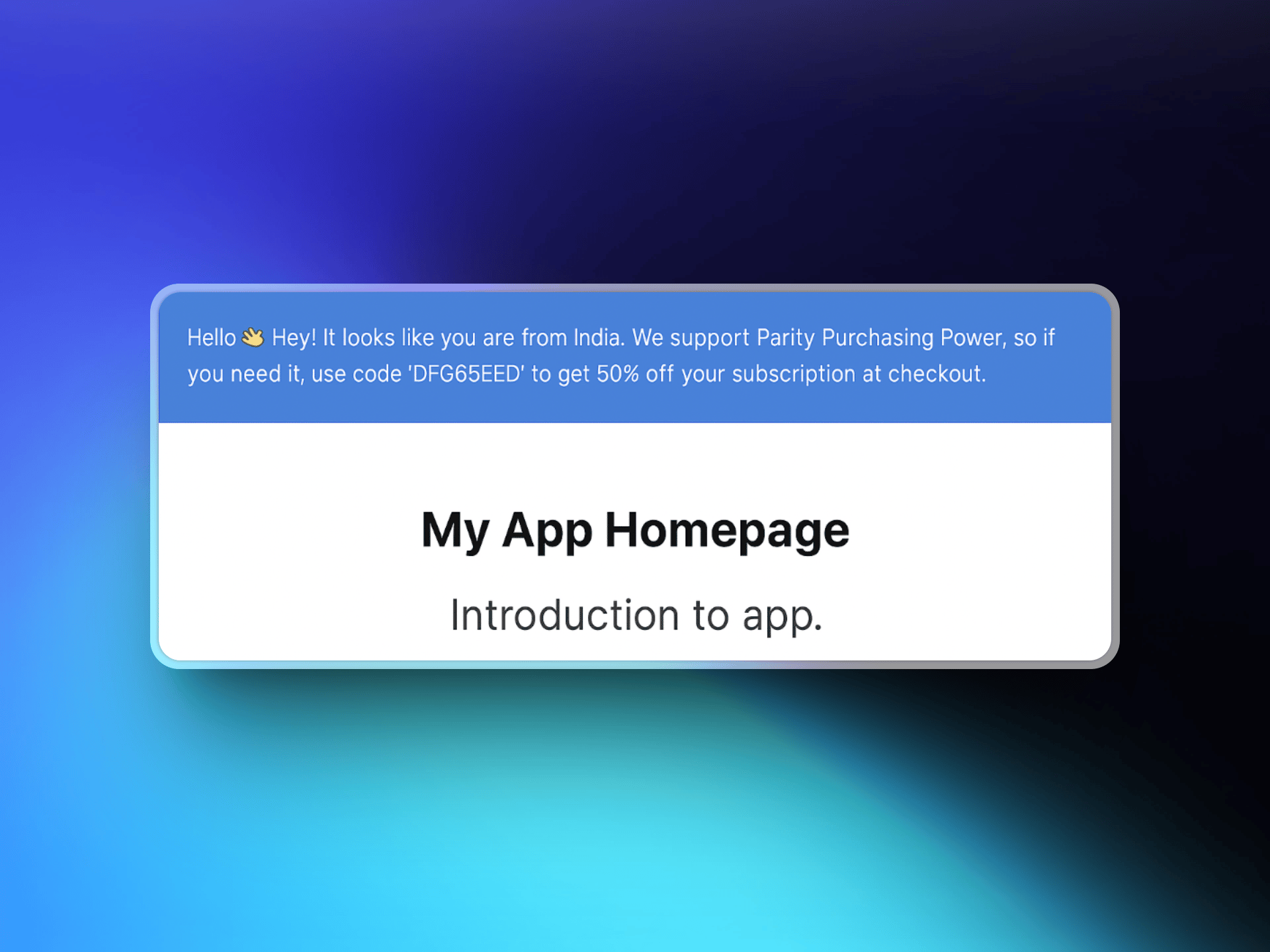
ParityDeals detects a visitor's location, shows a customizable discount banner on your website, and gives the visitor a discount code to apply at checkout. ParityDeals creates each code in your Dodo Payments account, and the code works on the products you select.
1. A visitor lands on your website, and ParityDeals detects their location.
2. If the visitor is eligible for a discount, a banner appears with a location-based code.
3. The visitor enters the code at checkout, and Dodo Payments applies the discount.
4. The code appears in your dashboard under **Sales → Discounts**.
 ## ParityDeals vs Native PPP
Native Purchasing Power Parity is the recommended way to price by country. Choose ParityDeals when you need a discount banner on your own site, or holiday and time-based campaigns.
| | Native PPP | ParityDeals |
| :- | :- | :- |
| How it works | A percentage per country, applied at checkout | A percentage off, applied through a code |
| Where it is configured | Built into Dodo Payments | ParityDeals dashboard |
| Banner or script on your site | Not required | Required |
| Holiday and time-based deals | No | Yes |
| Best for | Correct prices, with no site changes | Promotional banners and seasonal deals |
You can't embed the ParityDeals banner on a Dodo Payments-hosted checkout or storefront, because they don't support custom scripts. Add the banner to your own website or app.
## Prerequisites
Before you set up this integration, you need:
1. A [Dodo Payments account](https://app.dodopayments.com)
2. A [ParityDeals account](https://app.paritydeals.com/)
3. A Dodo Payments API key with write access
## Getting Started
Go to [app.paritydeals.com](https://app.paritydeals.com/) and create an account.
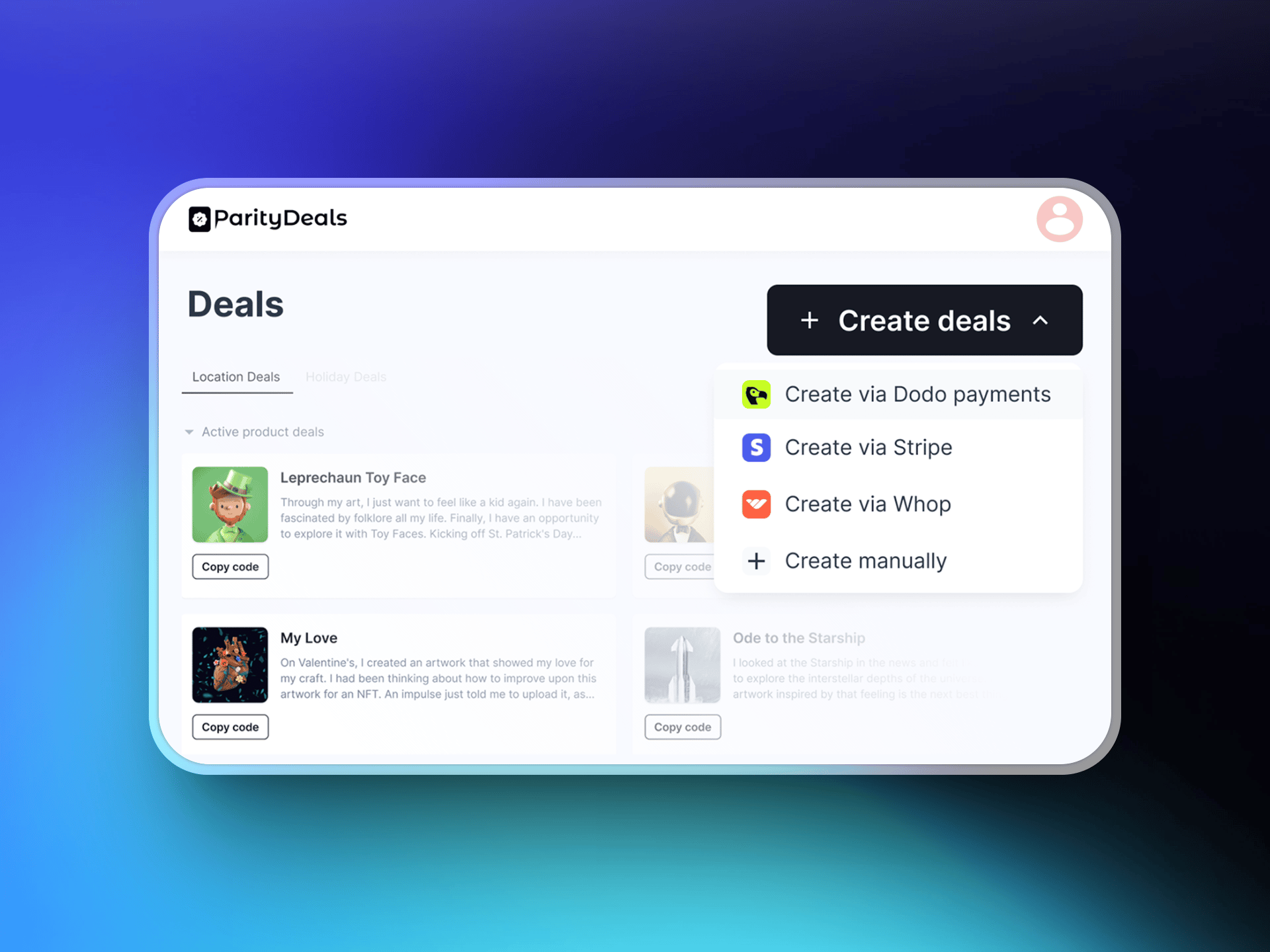
After you sign in, open the option to create deals. From the dropdown menu, select **Create Deals via Dodo Payments**.
## ParityDeals vs Native PPP
Native Purchasing Power Parity is the recommended way to price by country. Choose ParityDeals when you need a discount banner on your own site, or holiday and time-based campaigns.
| | Native PPP | ParityDeals |
| :- | :- | :- |
| How it works | A percentage per country, applied at checkout | A percentage off, applied through a code |
| Where it is configured | Built into Dodo Payments | ParityDeals dashboard |
| Banner or script on your site | Not required | Required |
| Holiday and time-based deals | No | Yes |
| Best for | Correct prices, with no site changes | Promotional banners and seasonal deals |
You can't embed the ParityDeals banner on a Dodo Payments-hosted checkout or storefront, because they don't support custom scripts. Add the banner to your own website or app.
## Prerequisites
Before you set up this integration, you need:
1. A [Dodo Payments account](https://app.dodopayments.com)
2. A [ParityDeals account](https://app.paritydeals.com/)
3. A Dodo Payments API key with write access
## Getting Started
Go to [app.paritydeals.com](https://app.paritydeals.com/) and create an account.
After you sign in, open the option to create deals. From the dropdown menu, select **Create Deals via Dodo Payments**.
 In the Dodo Payments dashboard, go to **Developer → API Keys** and click **Add API Key**. Keep **Enable write access** checked: ParityDeals creates discount codes in your account, and a read-only key can't create resources.
Give the key a descriptive name, such as `ParityDeals`, so you can identify it later.
In the Dodo Payments dashboard, go to **Developer → API Keys** and click **Add API Key**. Keep **Enable write access** checked: ParityDeals creates discount codes in your account, and a read-only key can't create resources.
Give the key a descriptive name, such as `ParityDeals`, so you can identify it later.
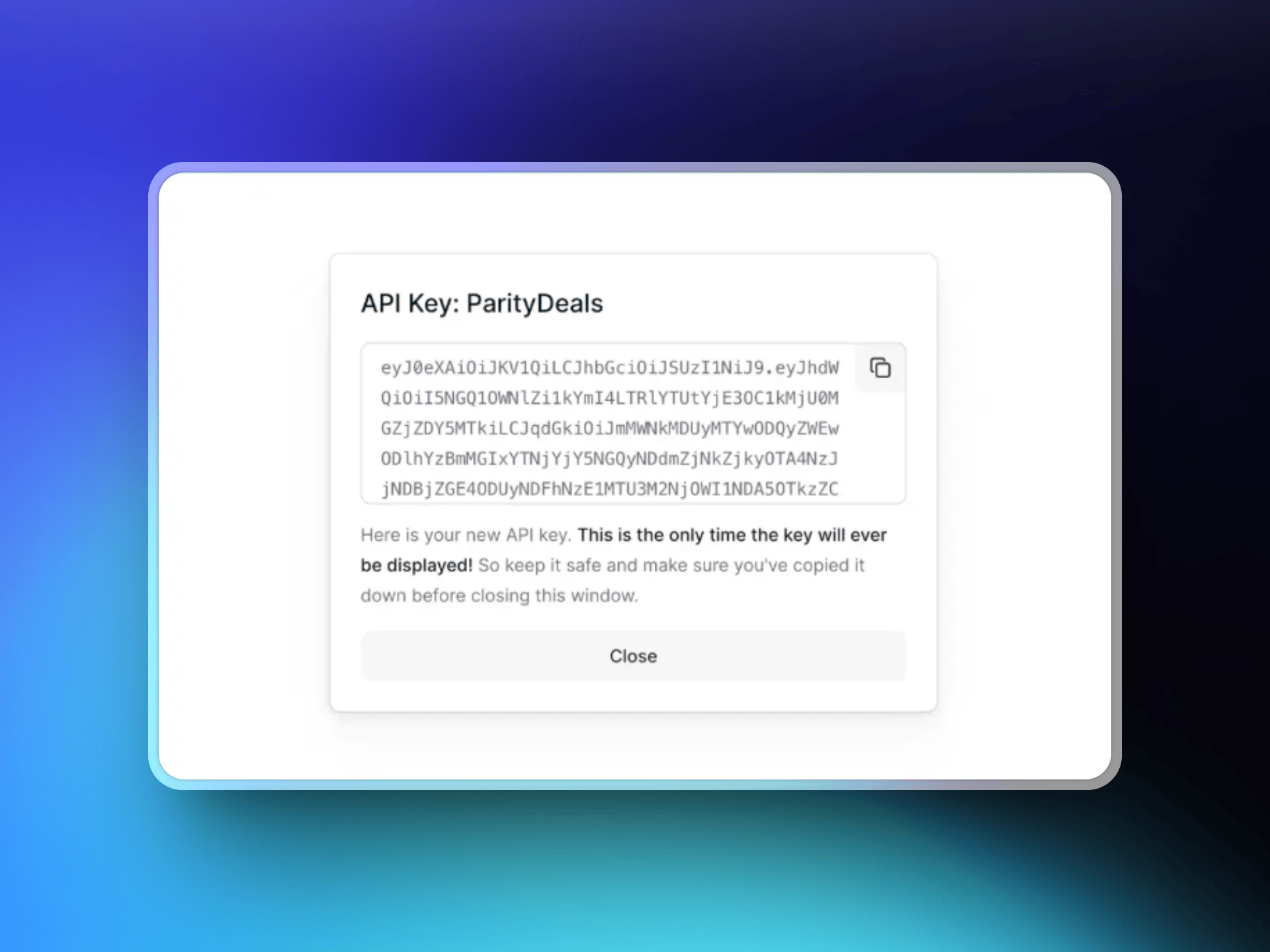 Copy the API key and paste it into ParityDeals to connect your Dodo Payments account. Dodo Payments shows the key only once.
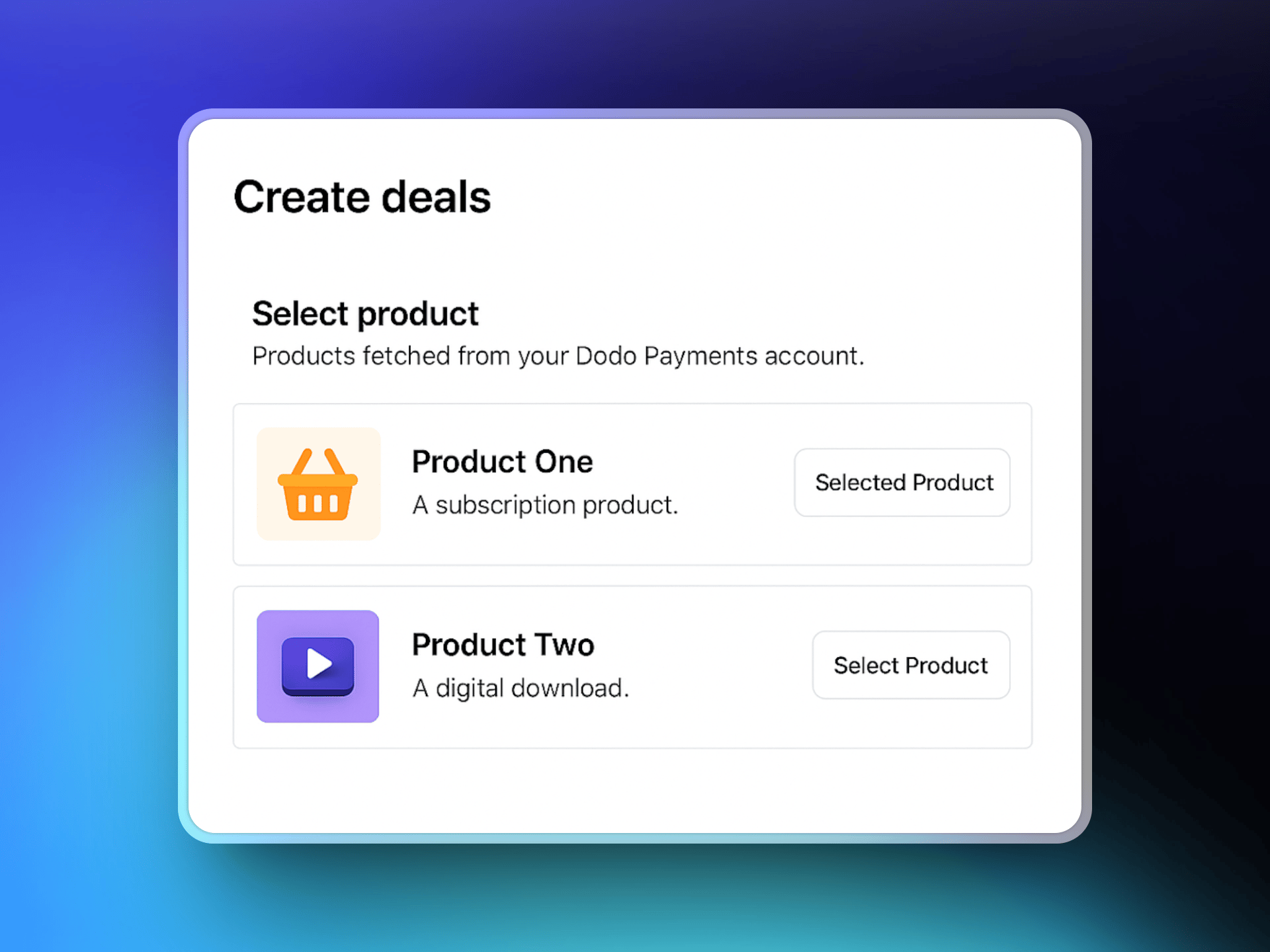
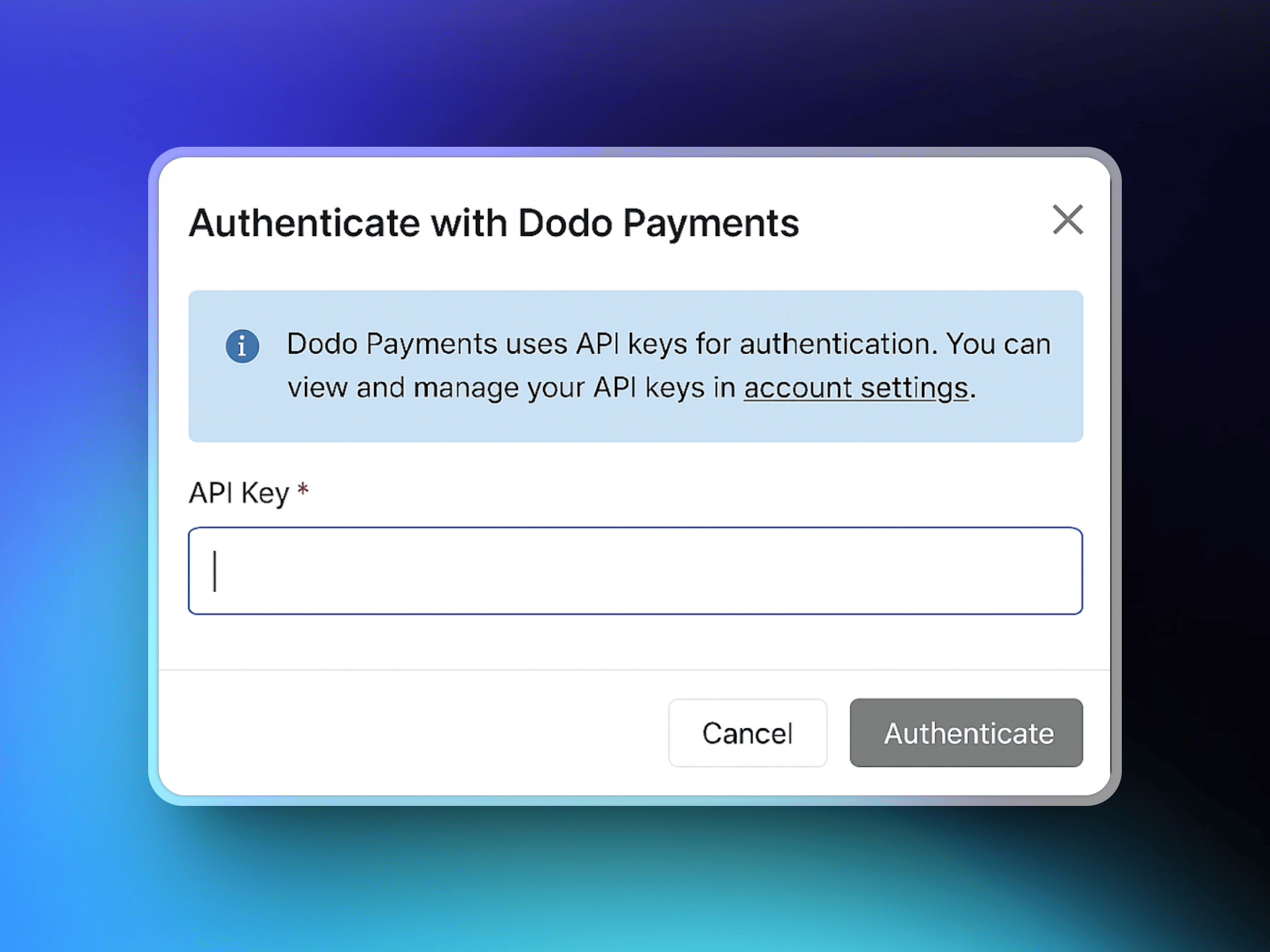 After you connect, ParityDeals fetches your Dodo Payments product catalog. Select the products your deals apply to.
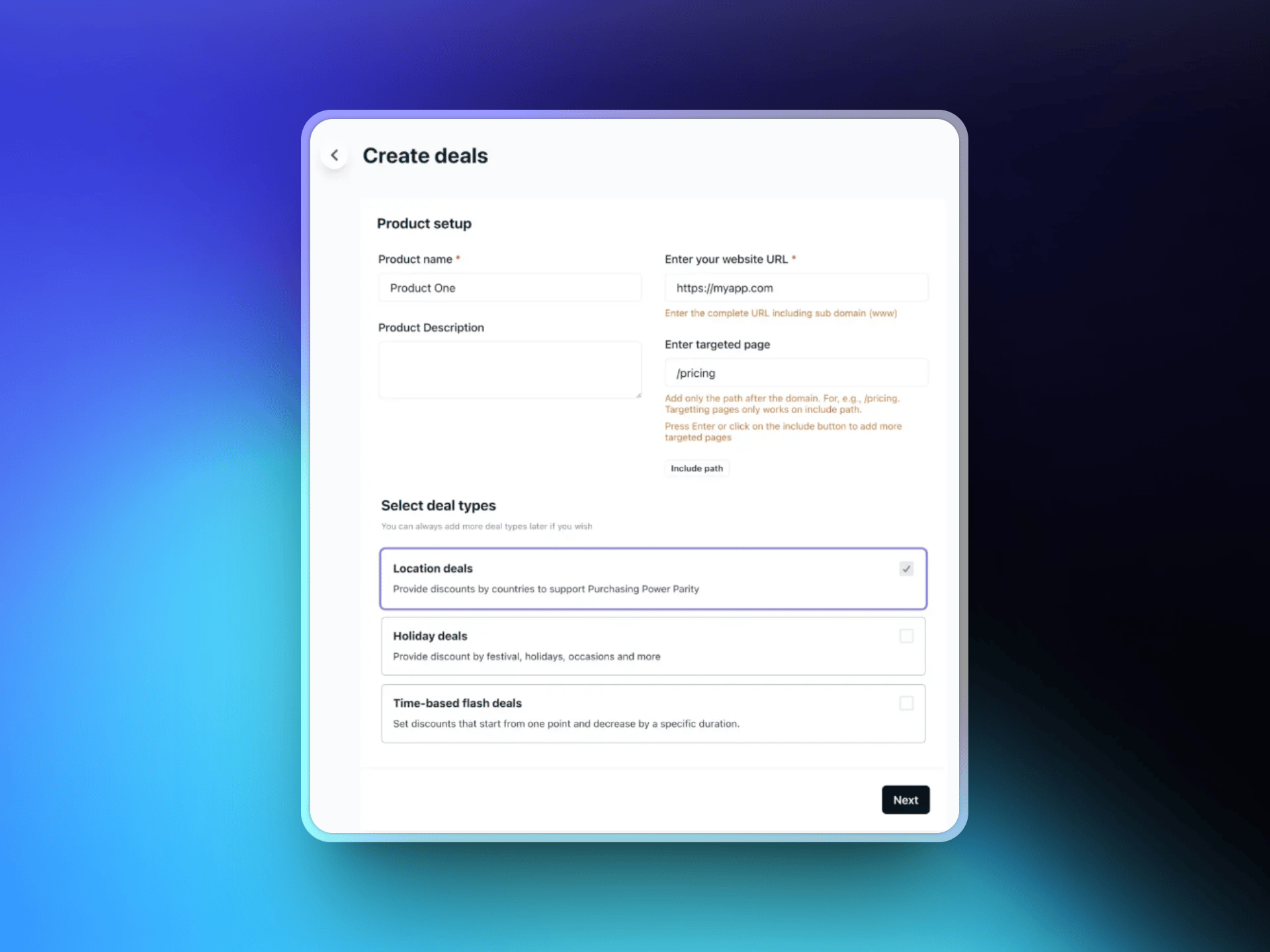
 Enter your website URL. Optionally, select the target pages where the discount banner appears. Then choose a deal type:
* Location-based deals
* Holiday deals
* Time-based flash deals
Enter your website URL. Optionally, select the target pages where the discount banner appears. Then choose a deal type:
* Location-based deals
* Holiday deals
* Time-based flash deals
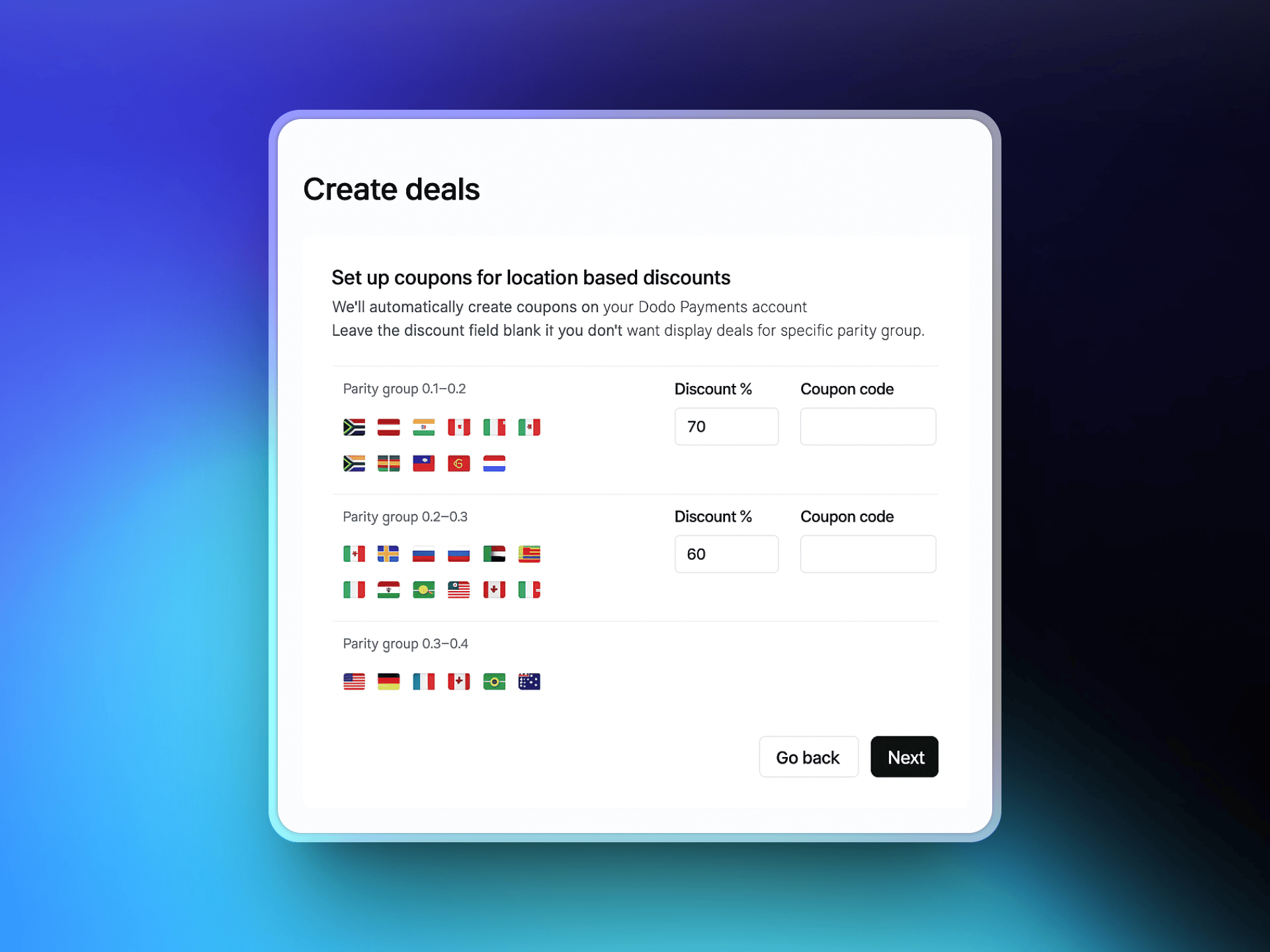
 Select the countries that get localized discounts and set the discount percentage for each. ParityDeals suggests default percentages that you can adjust.
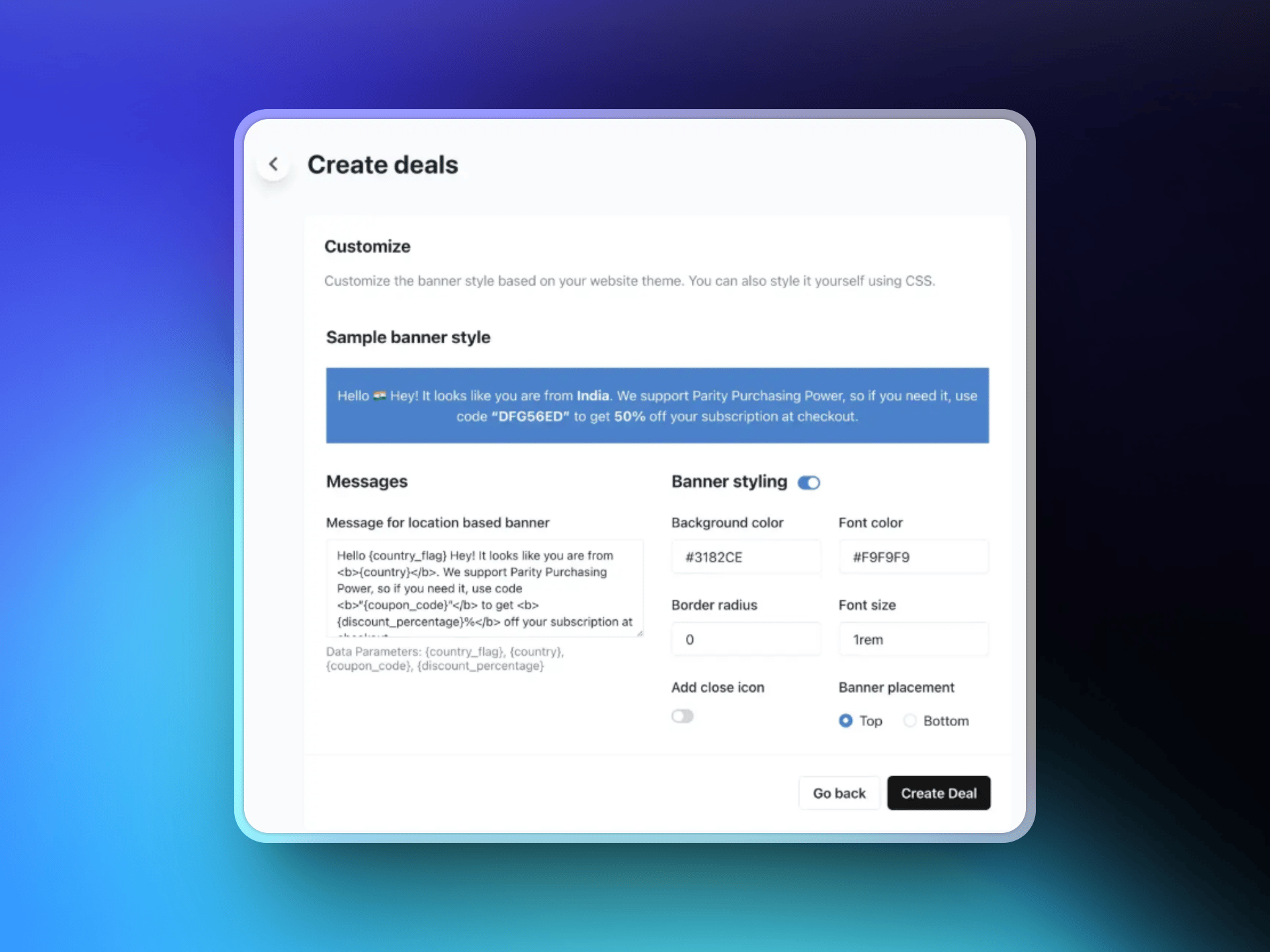
 Design your discount banner: edit the text, choose colors and layout, and place the banner at the top or bottom of the page. Eligible visitors see this banner based on your rules.
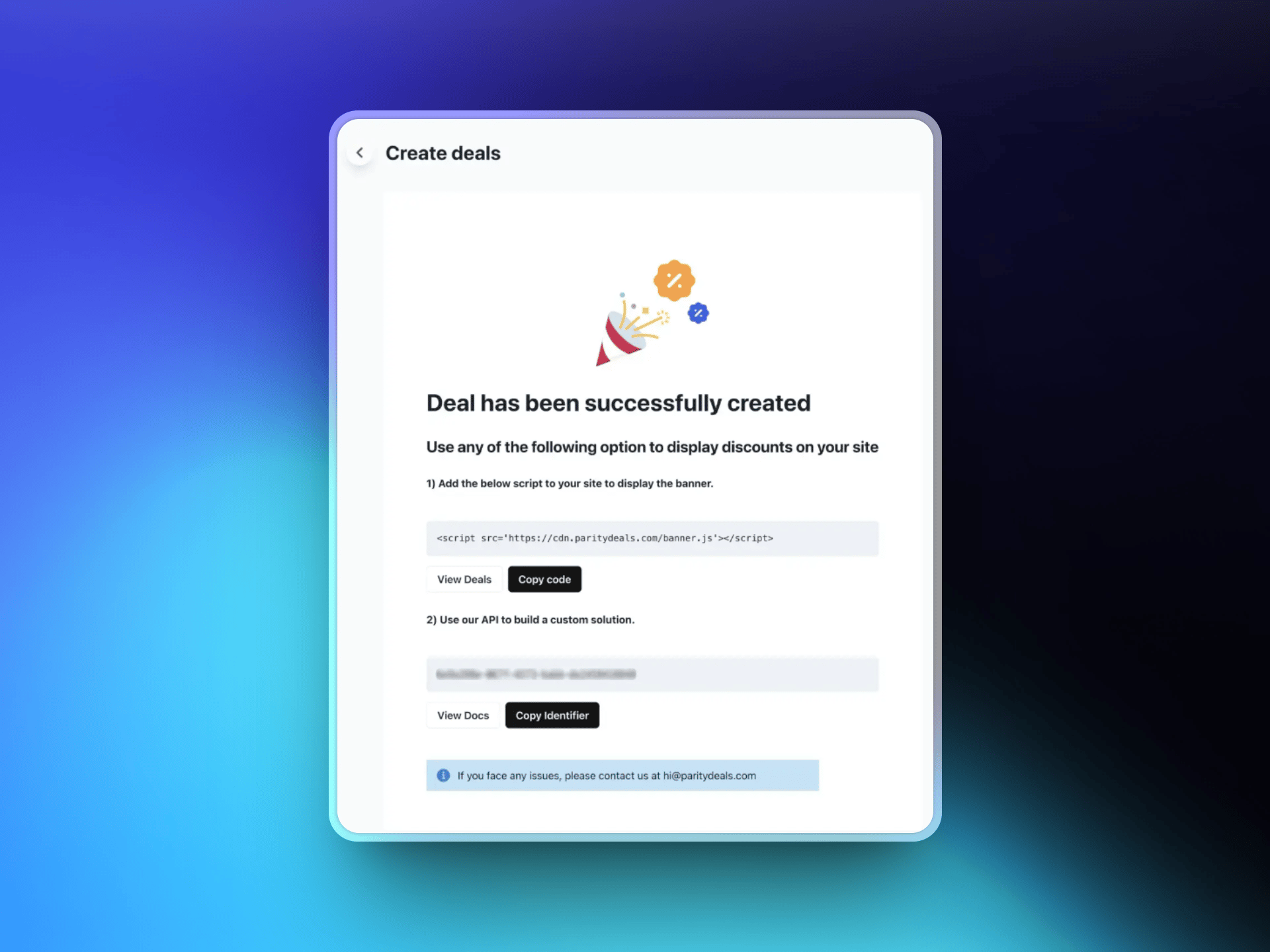
 After you save the deal, ParityDeals generates a script. Add it to your website code, usually in the `` section. The script detects each visitor's location and shows the matching discount banner.
 ## Additional Features
ParityDeals can also run [automatic time-based discounts](https://www.paritydeals.com/features/time-based-discounts/) and [holiday-based promotions](https://www.paritydeals.com/features/holiday-based-discounts/) throughout the year. For details, see the [ParityDeals Documentation](https://www.paritydeals.com/docs/).
## Additional Resources
Full setup walkthrough and feature guide on ParityDeals' docs.
Native PPP pricing in Dodo Payments, no banner required.
How discount codes work in Dodo Payments.
An alternative discount-code tool, with automatic coupon rotation.
This documentation is built and hosted on [Mintlify](https://mintlify.com), a developer documentation platform.
## Additional Features
ParityDeals can also run [automatic time-based discounts](https://www.paritydeals.com/features/time-based-discounts/) and [holiday-based promotions](https://www.paritydeals.com/features/holiday-based-discounts/) throughout the year. For details, see the [ParityDeals Documentation](https://www.paritydeals.com/docs/).
## Additional Resources
Full setup walkthrough and feature guide on ParityDeals' docs.
Native PPP pricing in Dodo Payments, no banner required.
How discount codes work in Dodo Payments.
An alternative discount-code tool, with automatic coupon rotation.
This documentation is built and hosted on [Mintlify](https://mintlify.com), a developer documentation platform.