

Visit Our Public Roadmap
View all feature requests, vote on ideas, and track the product roadmap on the feedback portal.
Request a New Feature
To suggest a feature that would improve your experience with Dodo Payments, submit a feature request on the feedback portal.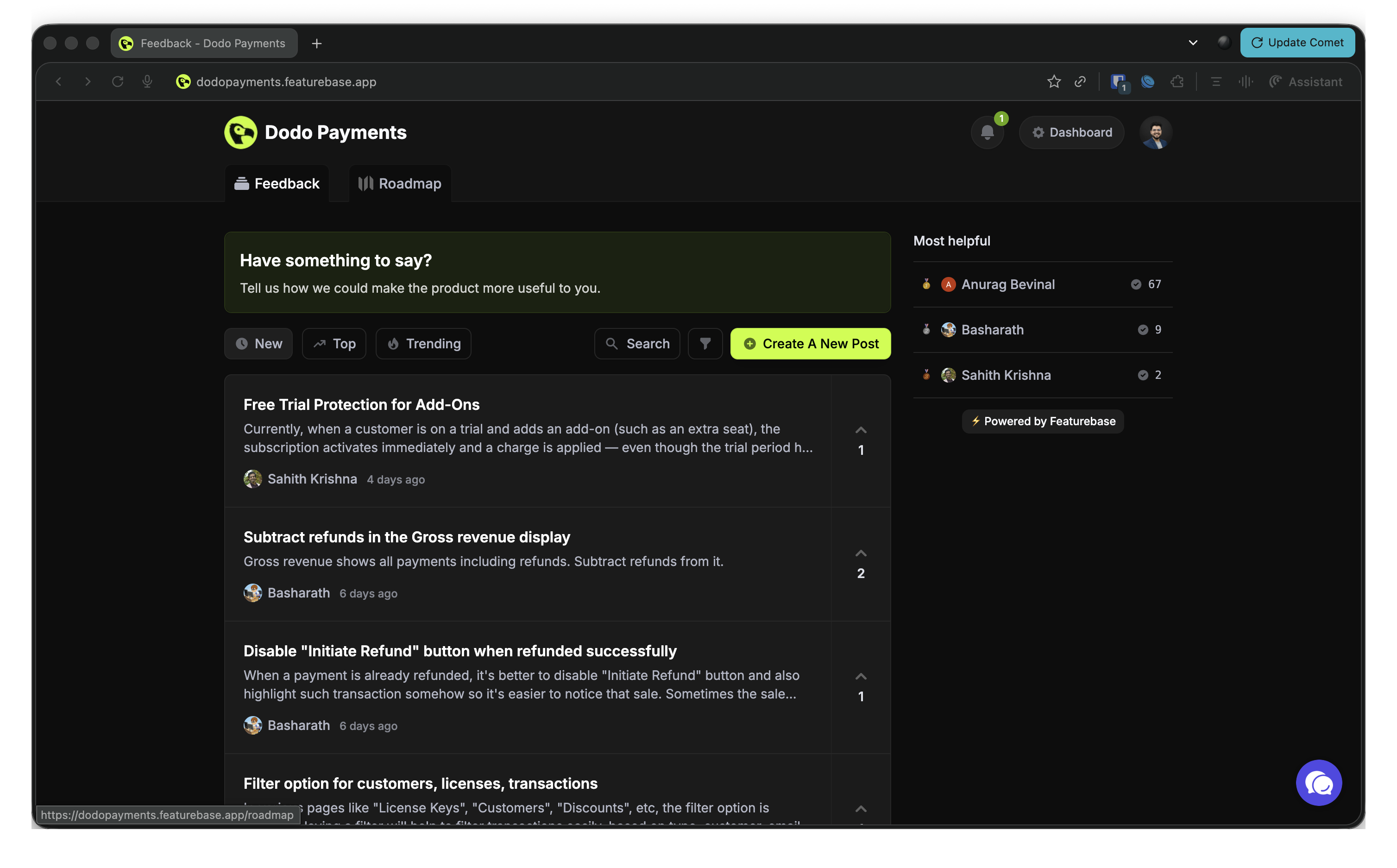
- Go to the feedback portal.
- Select the What’s your idea? field at the top of the board and enter a short title for your idea.
- In Add more details…, explain what the feature does, why it matters, and how it helps your business.
- Select Submit. Other merchants can then find it and vote for it.
- Keep it clear and concise.
- Describe the business impact of the feature.
- Add examples where they help.
- Include use cases that show the value.
Vote for Existing Feature Requests
Dodo Payments prioritizes the features that benefit the most merchants. Before you post a new idea, browse the existing requests and vote for the ones you find valuable:- Go to the feedback portal.
- Browse the submitted requests, or sort them by Trending, Top, or New.
- Select the upvote button next to each request you support.
- Influence the development priority of the features you care about.
- Show the team which features have widespread demand.
- Get notified when a feature you voted for changes status, including when it’s released.
View the Product Roadmap
The public roadmap shows the development status of each feature. Features appear in these status columns:- Planned: Features that are approved and scheduled for development.
- In Progress: Features the team is working on.
- Complete: Features that are implemented and live.
- Closed: Requests the team closed without marking them complete.
- Go to the feedback portal.
- Open the Roadmap tab to see features by status.
- Browse the feature categories and their statuses.
- Use Search and Filter to find specific features, or narrow the list by status or category.